Privacy Sketch: The LLM-Friendly Hand-Drawn Diagramming Tool with JSON DSL
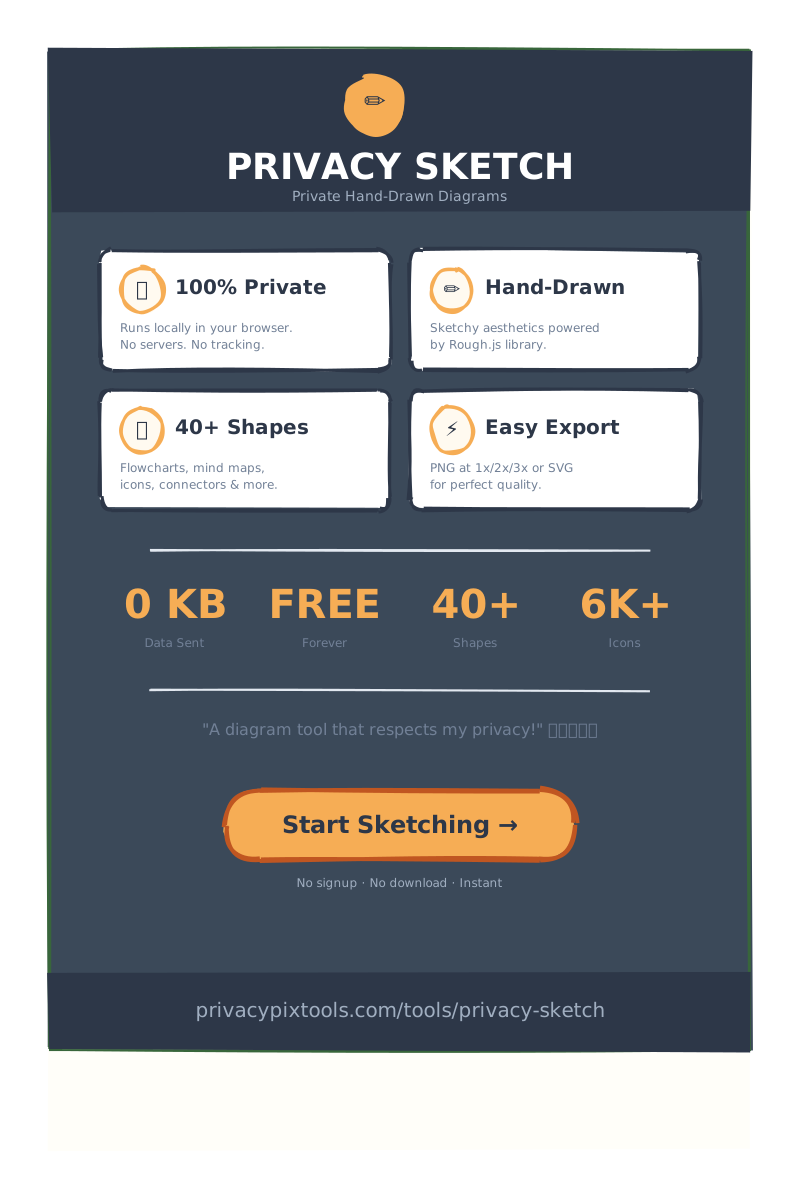
Privacy Sketch is a free, browser-based diagramming tool that creates hand-drawn style diagrams from a structured JSON Domain Specific Language (DSL), so LLMs can generate a diagram and you can edit it by hand afterward. Everything runs in your browser with no uploads, and you can export to PNG, SVG, or JSON.
If you've ever used an AI image generator to create a diagram, you know the frustration: the result is almost perfect, but that one label is wrong, or the arrow points the wrong way. With traditional image generators, you have two choices – regenerate and hope for the best, or accept the imperfection. Privacy Sketch changes everything.
What is Privacy Sketch?
Privacy Sketch is a free, browser-based diagramming tool that creates hand-drawn style diagrams using Rough.js rendering. Unlike traditional diagram tools that produce sterile, corporate-looking outputs, Privacy Sketch adds personality to your diagrams with a sketchy, approachable aesthetic that's perfect for presentations, documentation, brainstorming, and educational materials.
But the real innovation lies under the hood. Every diagram in Privacy Sketch is represented as a human-readable JSON document. This isn't just an implementation detail – it's the core design philosophy that unlocks unprecedented capabilities:
🔒 100% Private
Runs entirely in your browser. No uploads, no servers, no tracking. Your diagrams never leave your device.
🤖 LLM-Friendly DSL
JSON structure that AI models can generate and understand, enabling powerful AI-assisted diagram creation.
✏️ Manual Editing
Edit AI-generated diagrams by hand without regenerating. Change labels, move shapes, adjust colors.
📤 Multiple Exports
Export to PNG, SVG, or JSON. Share diagrams, embed in documentation, or version control your work.
The Power of JSON DSL: Why It Matters
Most diagramming tools store your work in proprietary formats. When you save a Visio file or a Lucidchart diagram, you're locked into that ecosystem. Privacy Sketch takes the opposite approach – every diagram is a plain JSON file that you can read, understand, modify, and version control.
Here's what a simple flowchart looks like in Privacy Sketch's JSON format:
{
  "version": "2.0",
  "elements": [
    {
      "id": "start",
      "type": "ellipse",
      "x": 100, "y": 50,
      "w": 120, "h": 60,
      "options": {
        "fill": "#22c55e",
        "stroke": "#16a34a"
      }
    },
    {
      "id": "start-label",
      "type": "text",
      "text": "Start",
      "x": 100, "y": 70,
      "align": "center"
    }
  ],
  "theme": { "roughness": 1.5 }
}
This structure is immediately understandable. You can see that we have an ellipse shape at position (100, 50), with a width of 120 pixels and a green fill. The text "Start" is placed inside. Every property is explicit, editable, and predictable.
Benefits of the JSON DSL Approach
- Version Control: Store your diagrams in Git alongside your code. Track changes, create branches, merge updates.
- Programmatic Generation: Write scripts to generate diagrams from data. Create org charts from HR databases, architecture diagrams from code analysis.
- Template Systems: Build reusable templates with placeholder values. Generate hundreds of customized diagrams from a single base.
- AI Integration: Large Language Models excel at generating structured JSON. Privacy Sketch's DSL was designed with AI generation in mind.
LLM Integration: The Game-Changing Workflow
Here's where Privacy Sketch truly shines compared to traditional AI image generators. Let's compare the workflows:
| Scenario | AI Image Generator | Privacy Sketch + LLM |
|---|---|---|
| Initial Creation | Prompt → Image | Prompt → JSON → Rendered Diagram |
| Wrong Label | Regenerate entire image (random result) | Edit JSON text field → Instant fix |
| Missing Element | Regenerate (lose all other elements) | Add element to JSON array |
| Color Change | Impossible without full regeneration | Change hex value in options |
| Layout Adjustment | No control | Modify x, y coordinates |
| Consistency | Random variations each time | Deterministic rendering |
When you ask DALL-E or Midjourney to create a flowchart, you get an image. If the text is wrong, the proportions are off, or you need to add a step – you're stuck. Regenerating gives you a completely different diagram. There's no way to say "keep everything the same but change this one label."
How LLMs Work with Privacy Sketch
Because Privacy Sketch uses a structured JSON format, LLMs like Claude, GPT-4, or Gemini can generate complete, valid diagrams. Here's a typical workflow:
- Describe Your Diagram: "Create an org chart showing the IT department with a CIO at the top, four VPs below (Engineering, Infrastructure, Data, Security), and two teams under each VP."
- LLM Generates JSON: The model outputs a complete Privacy Sketch JSON with all shapes, connectors, labels, and styling.
- Paste & Render: Open Privacy Sketch's Code Panel, paste the JSON, and click Apply. Your diagram appears instantly.
- Fine-Tune Manually: The VP of Engineering's name is wrong? Edit the text element. Need to adjust spacing? Drag the shapes in the editor or tweak the coordinates in JSON.
The key insight: You can make targeted changes without losing the rest of your work. The LLM doesn't need to regenerate everything – you edit what needs editing and keep what works.

Enterprise IT Department Org Chart – Created with Privacy Sketch
Manual Creation: A Full-Featured Editor Experience
While Privacy Sketch excels at AI-assisted diagram creation, it's equally powerful as a standalone manual editor. Whether you're sketching out ideas, creating documentation graphics, or building complex infographics, Privacy Sketch provides all the tools you need.
40+ Shape Types
Privacy Sketch includes a comprehensive shape library covering:
- Basic Shapes: Rectangle, Ellipse, Diamond, Triangle
- Geometric Shapes: Star, Heart, Hexagon, Pentagon, Cloud, Cylinder, Banner
- Flowchart Symbols: Process, Decision, Data, Database, Document, Terminator
- Annotations: Speech Bubble, Thought Bubble, Callout, Sticky Note
- Connectors: Lines, Arrows, Curved Arrows, Bidirectional Arrows
- Special: Cards, Brackets, Progress Bars, Waveforms
Each shape supports customizable properties including fill color, stroke color, stroke width, border radius, and the signature "roughness" setting that controls how sketchy the drawing appears.
Keyboard Shortcuts for Power Users
Privacy Sketch is designed for efficiency. Master these keyboard shortcuts to dramatically speed up your workflow:
Selection & Manipulation
V Select Tool
Delete Delete Selected
Ctrl+D Duplicate
Ctrl+A Select All
Drawing Tools
R Rectangle
E Ellipse
T Text
L Line
A Arrow
Canvas Navigation
Scroll Zoom
Space+Drag Pan
Ctrl+0 Reset Zoom
F Fit to Screen
History & Files
Ctrl+Z Undo
Ctrl+Y Redo
Ctrl+S Save JSON
? Help
Rich Styling Options
Customize every aspect of your diagrams with Privacy Sketch's styling system:
- Colors: Full hex color support for fills and strokes. Create color-coded diagrams with consistent palettes.
- Fill Styles: Solid, Hachure (hand-drawn lines), Cross-Hatch, Zigzag, and more artistic fill patterns.
- Line Styles: Solid, Dashed, Dotted lines for different relationship types.
- Roughness Control: Adjust from 0 (perfectly smooth) to 3+ (very sketchy) for the exact hand-drawn feel you want.
- Typography: Custom fonts, sizes, weights, and alignment for text elements.
Learn more in our styling documentation.
Export Options: PNG, SVG, and JSON
Privacy Sketch supports multiple export formats to fit every use case:
PNG Export
Export your diagrams as high-quality PNG images, perfect for presentations, documents, and web content. The exported images maintain the hand-drawn aesthetic at any resolution.
SVG Export
Vector graphics that scale infinitely without losing quality. Ideal for print materials, responsive websites, and when you need crisp diagrams at any size. SVG exports maintain all the sketchy styling while being fully scalable.
JSON Export
Save your work as JSON files for version control, backup, or sharing with teammates. JSON exports can be loaded back into Privacy Sketch at any time, making it easy to iterate on diagrams over time.
Real-World Examples: What You Can Create
Privacy Sketch is versatile enough for virtually any diagramming need. Here are some examples created entirely within the tool:
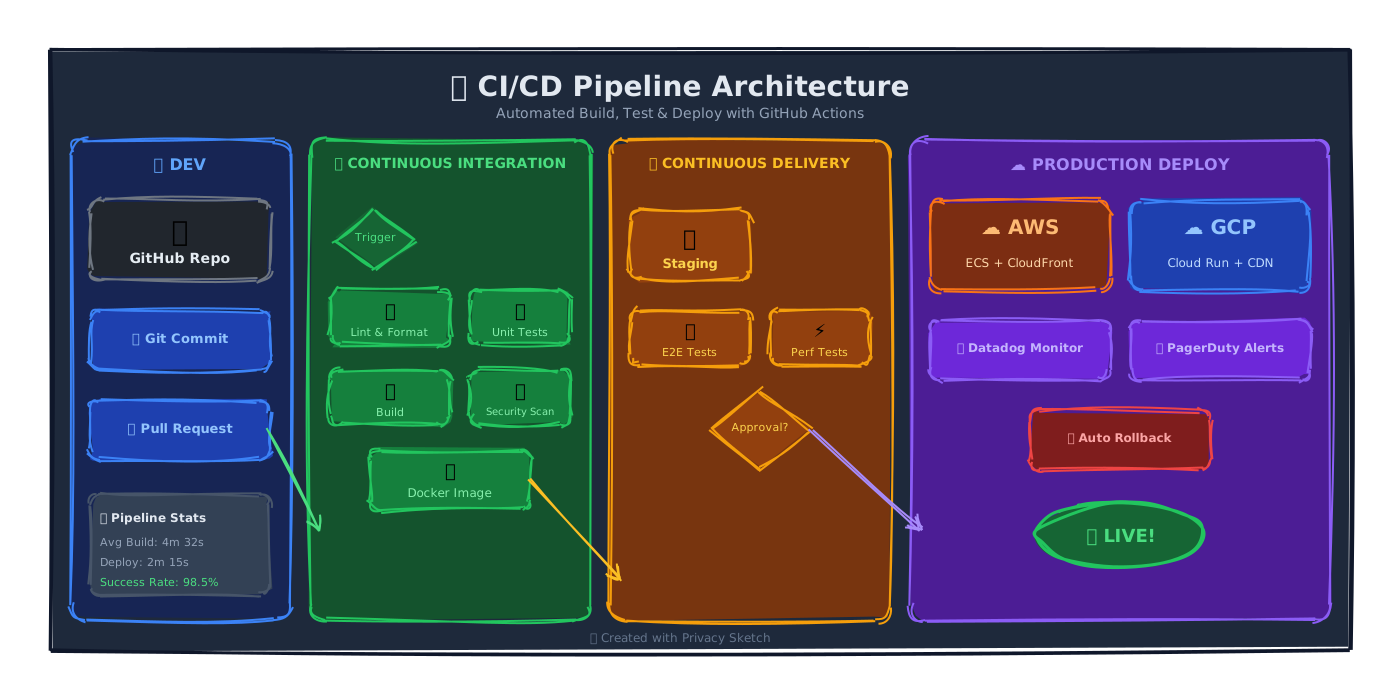
CI/CD Pipeline Diagrams
Document your development workflow with clear, visual pipeline diagrams. Show code flow from commit to deployment with proper stages and decision points.
Timelines & Roadmaps
Create visual timelines for project planning, historical events, or product roadmaps. The hand-drawn style makes timelines approachable and engaging.

Mind Maps & Concept Diagrams
Brainstorm ideas, map out concepts, or create educational diagrams. Privacy Sketch's flexible canvas and connector tools make it easy to build branching structures.

Infographics
Combine shapes, icons, text, and data visualizations to create compelling infographics. The sketchy style adds personality while maintaining clarity.

Process Flowcharts
Map out user journeys, business processes, or technical workflows with proper flowchart notation and decision branching.

Documentation & Getting Started
We've created comprehensive documentation to help you get the most out of Privacy Sketch:
📖 Getting Started Guide
Learn the basics of Privacy Sketch in 5 minutes. Create your first diagram and understand the core workflow.
⬡ Shape Reference
Complete documentation of all 40+ shape types with examples and property tables.
↔️ Lines & Connectors
Master connectors, arrows, and line styling for flowcharts and relationship diagrams.
📋 JSON Schema
Technical reference for the Privacy Sketch JSON format. Perfect for developers and LLM integration.
🎨 Styling Guide
Colors, fills, strokes, and typography options to create beautiful diagrams.
🖼️ Example Gallery
Browse ready-made templates for flowcharts, org charts, timelines, infographics, and more.
Privacy First: Your Data Stays With You
True to the PrivacyPixTools philosophy, Privacy Sketch is built with privacy as a core principle, not an afterthought:
- No Server Uploads: Your diagrams are never sent to any server. All processing happens locally in your browser.
- No Account Required: Start creating immediately. No registration, no email collection, no tracking.
- Works Offline: Once loaded, Privacy Sketch works without an internet connection. Perfect for secure environments.
- Open Format: Your diagrams are saved as plain JSON. No vendor lock-in, no proprietary formats.
- No Analytics Tracking: We don't track your usage patterns, diagram content, or behavior.
Privacy Sketch is suitable for creating diagrams containing sensitive business information. Since nothing leaves your browser, you maintain complete control over your intellectual property.
Technical Architecture
For developers and technical users, here's how Privacy Sketch is built:
- Rendering Engine: Rough.js for the hand-drawn aesthetic, rendering to HTML5 Canvas.
- No Dependencies: Pure JavaScript with minimal external libraries. Fast loading, works everywhere.
- Modern Browser Support: Requires HTML5 Canvas, Service Workers, and ES6 support. Works in all modern browsers.
- Responsive Design: Full-screen canvas with responsive toolbar. Works on desktop and tablets.
Conclusion: Start Creating Today
Privacy Sketch represents a new paradigm in diagramming tools – one where AI generation and human editing work harmoniously together. Whether you're using LLMs to jumpstart your diagrams or creating every element by hand, Privacy Sketch gives you the control and flexibility that traditional tools lack.
The hand-drawn aesthetic makes your diagrams stand out while the JSON DSL ensures you're never locked into a proprietary format. Export to PNG, SVG, or JSON and integrate your diagrams anywhere.
Best of all, it's completely free and private.