How to Hide a Secret Message Inside an Image - LSB Steganography in Your Browser
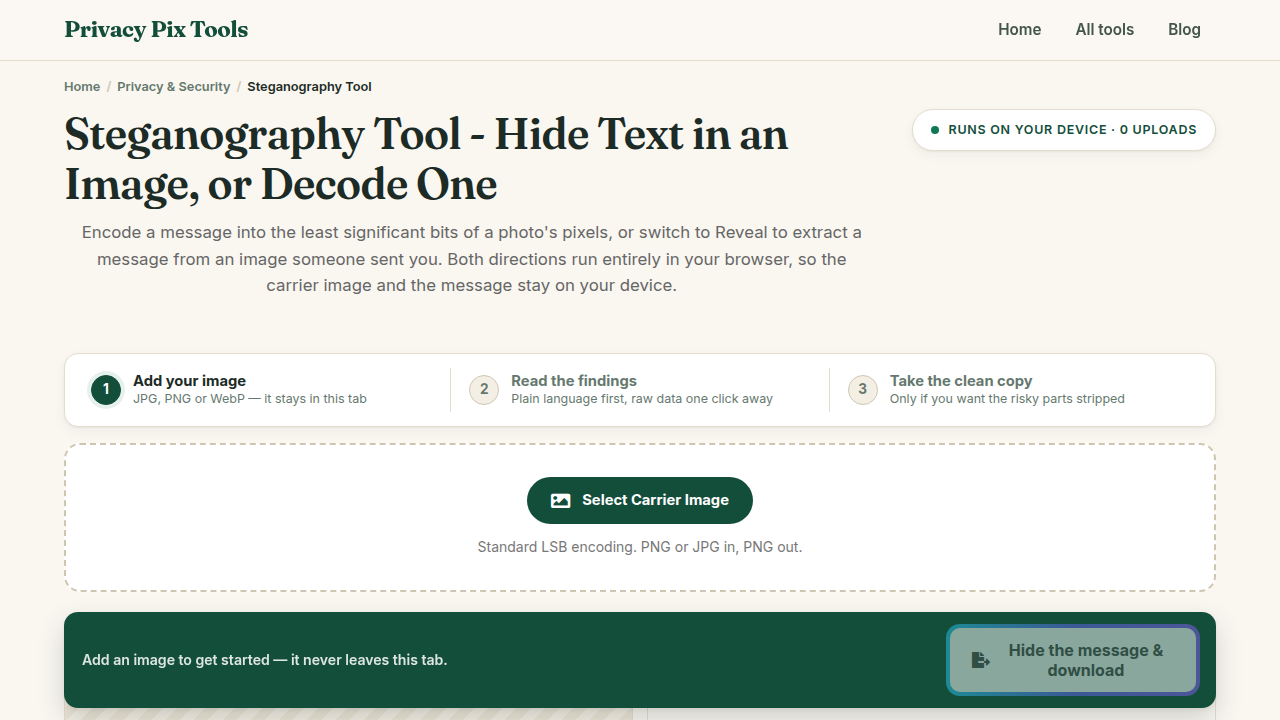
To hide a secret message in an image, open the free Steganography Tool, select Hide Message mode, upload a carrier image, type your text into Enter Secret Message, and click Encode & Download. The message is woven invisibly into the image's pixels using LSB encoding - the photo looks completely unchanged. To read it back, anyone with the tool switches to Reveal Message mode and uploads the encoded PNG. Everything runs locally in the browser.
Encryption hides what a message says; steganography hides that a message exists at all. The technique is ancient - invisible ink, microdots, messages under postage stamps - but its digital form is elegantly mathematical: every pixel in an image stores its color as numbers, and the least significant bit (LSB) of each number can be flipped with no visible effect. Flip those bits in a careful pattern and an ordinary photo becomes a container for hidden text.
This guide walks through hiding a message, sharing the encoded image safely, and revealing the message on the other end - plus the practical rules (why PNG matters, why social media breaks it) that determine whether your hidden message survives the trip.
In this guide
- What you need
- Step 1: Open Hide Message mode and select a carrier image
- Step 2: Type your secret message and encode
- Step 3: Share the encoded image - carefully
- Step 4: Reveal the message on the other end
- Pro tips for better results
- Why this stays 100% private
- Common use cases
- Frequently asked questions
- Related tools & guides
What You Need Before You Start
A carrier image (PNG or JPG - the output is always PNG) and the message you want to conceal. Bigger images hold longer messages: each pixel contributes storage, so a normal photo can carry pages of text. Choose an unremarkable image - the whole point is that nobody looks twice at it.
Privacy note: Encoding and decoding both run entirely in your browser tab. A steganography site that uploaded your image and message to a server would defeat its own purpose - this one never does, and you can verify it offline.
How to Hide and Reveal a Message in 4 Steps
Step 1Open Hide Message mode and select a carrier image
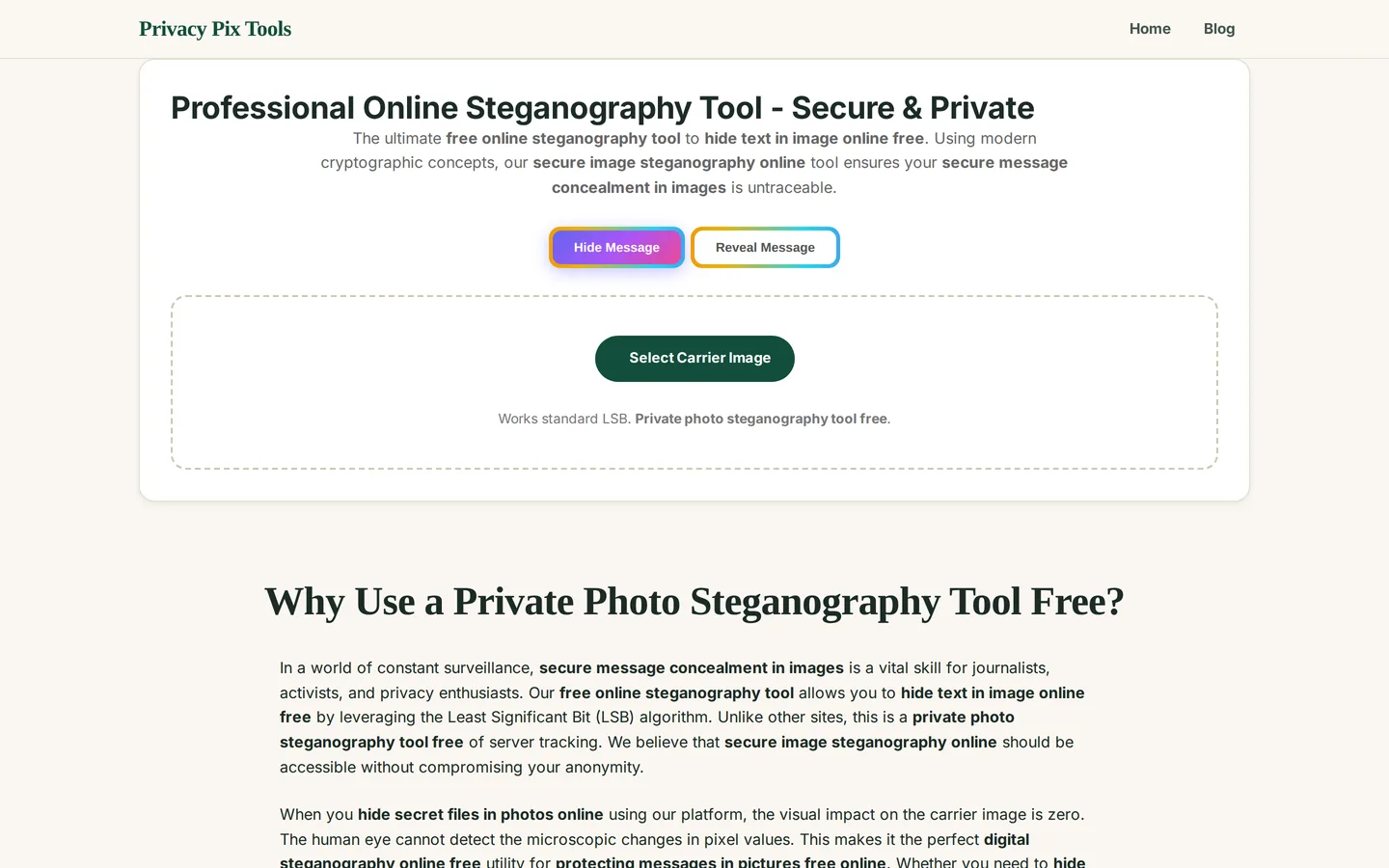
Go to the Professional Online Steganography Tool. The Hide Message mode is active by default (the two mode buttons at the top switch between hiding and revealing). Click Select Carrier Image and choose the photo that will carry your secret - the tool works with standard LSB encoding on PNG and JPG input.
Step 2Type your secret message and encode
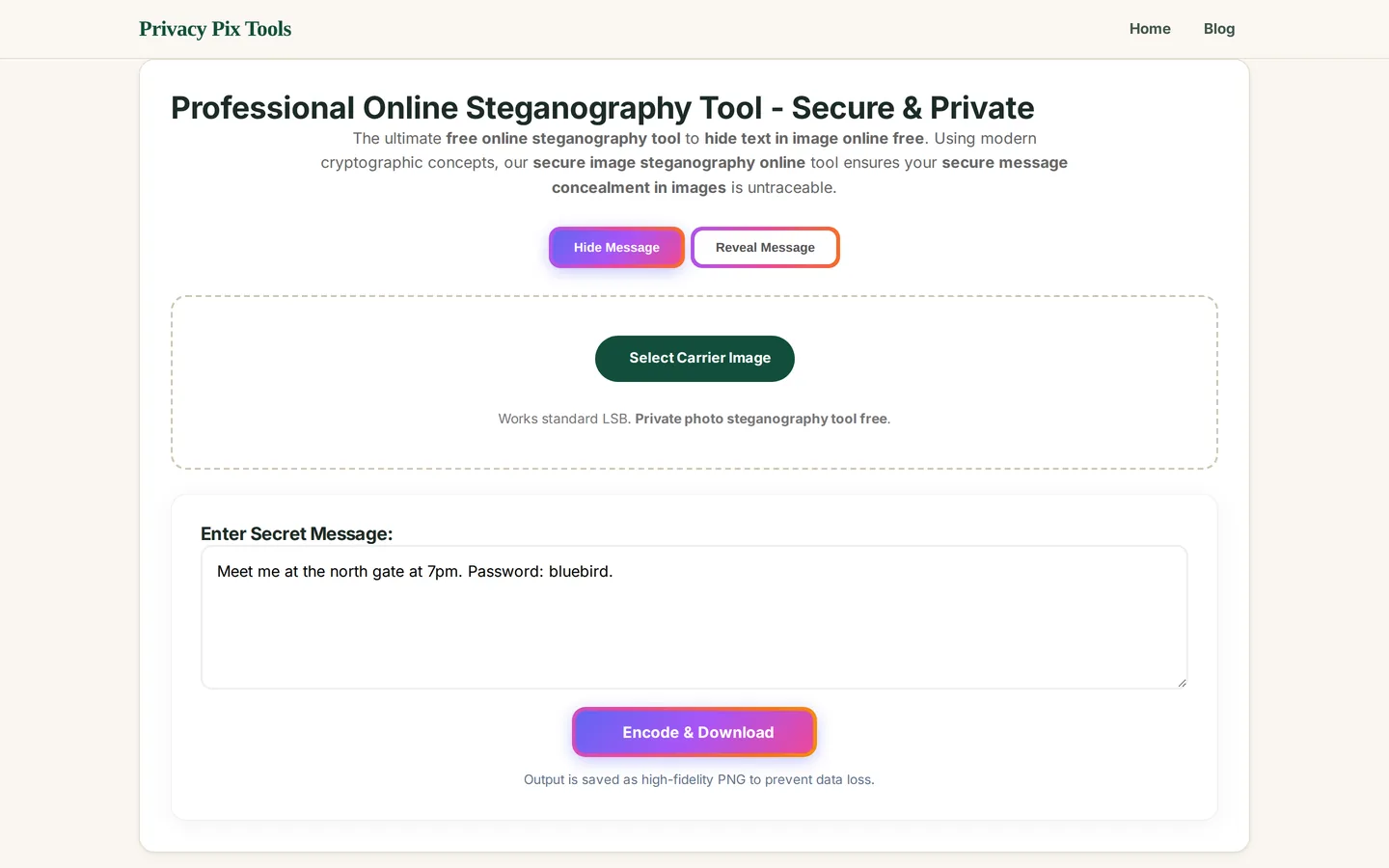
Once the image loads, the Enter Secret Message box appears. Type anything - a note, a password, coordinates, a paragraph. Then click Encode & Download. The tool rewrites the least significant bits of the image's pixels to carry your text and immediately downloads the result as a high-fidelity PNG (PNG is lossless, so the hidden bits are preserved exactly).
Open the downloaded image next to the original: they are visually identical. The changes live in bit-level color variations far below what human eyes - or casual inspection - can detect.
Step 3Share the encoded image - carefully
Send the PNG through any channel that preserves the file exactly: email attachments, cloud drive links, USB sticks, or messaging apps configured to send files as documents rather than photos. Avoid posting it to social media or sending it as an inline photo - platforms recompress images, and recompression destroys the LSB data (see the tips below).
Step 4Reveal the message on the other end
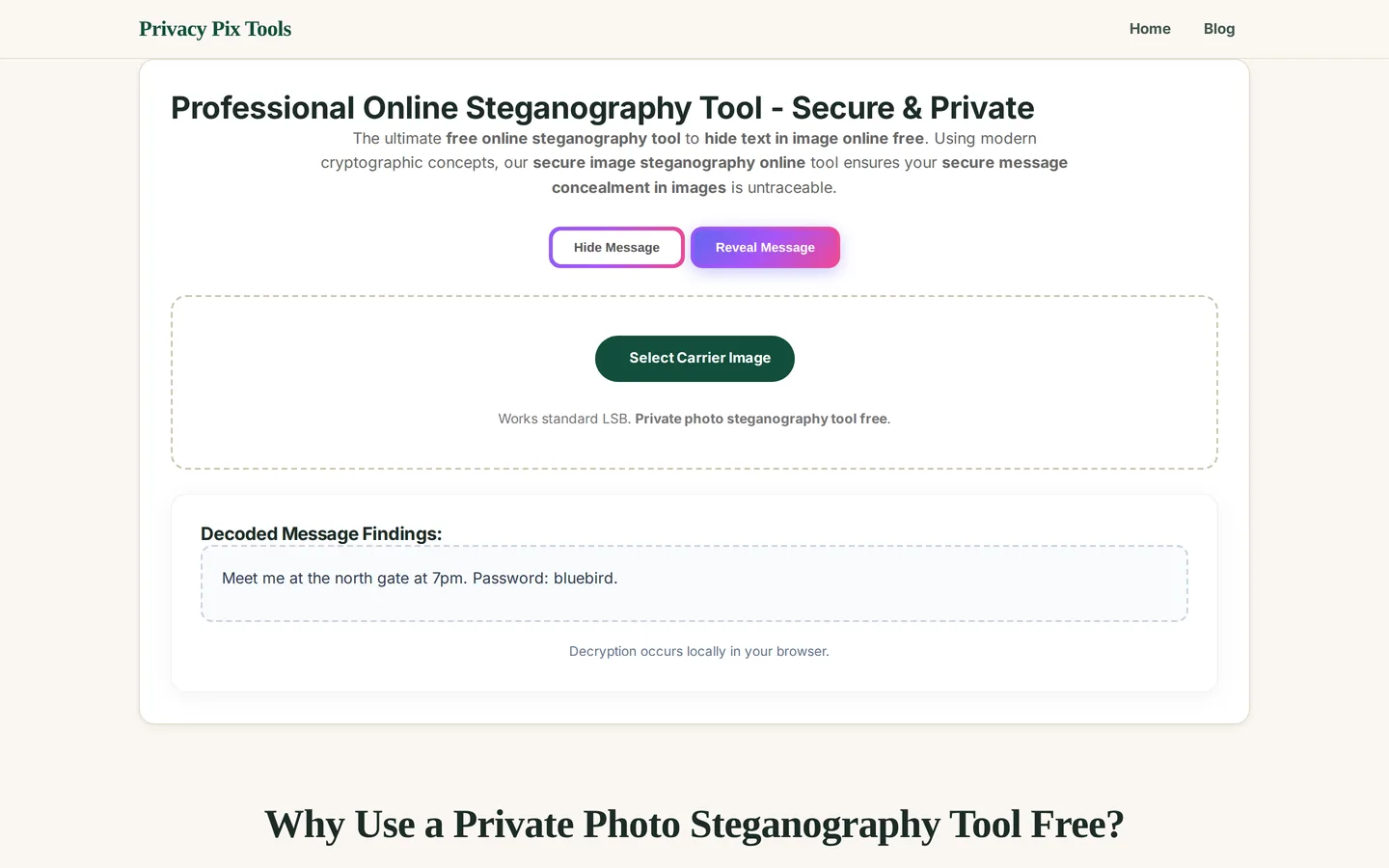
The recipient opens the same tool, clicks Reveal Message mode, and uploads the encoded PNG. The hidden text appears instantly under Decoded Message Findings - decryption occurs locally in their browser, so the secret is never exposed to any server at either end of the exchange.
Hide your first message
Open the Steganography ToolPro Tips for Better Results
- Always keep it PNG: The encoded file must stay lossless. Re-saving it as JPG, or letting any app recompress it, scrambles the least significant bits and destroys the message. If a channel converts images, send the PNG inside a ZIP.
- Social media wipes hidden data: Instagram, Facebook, X, and WhatsApp photo-mode all recompress uploads - the hidden message will not survive. Use document/file mode in messengers, or email attachments.
- Don't edit the encoded image: Cropping, resizing, filtering, or rotating the encoded PNG rewrites its pixels and corrupts the payload. Do all editing on the carrier before encoding.
- Bigger carrier, bigger capacity: Capacity scales with pixel count - a 1920×1080 photo can hold tens of thousands of characters. If a long message fails to encode, use a larger image.
- Layer encryption for real secrets: Steganography hides existence, not content: anyone who suspects the trick and has the tool can decode it. For genuinely sensitive text, encrypt the message first (e.g., with a shared-key cipher) and hide the ciphertext - two independent locks.
- Pick a boring carrier: A random landscape or street photo attracts no attention. Avoid images that would seem out of character or context for you to send - the best hiding place is the unremarkable.
Why This Stays 100% Private
A server-based steganography service would be an oxymoron: you would be handing both the secret message and the image concealing it to a third party, timestamped and logged, before the "hiding" even began. This tool performs LSB encoding and decoding with JavaScript on your own device. The message text never leaves the page, the encoded PNG is generated in browser memory, and the decode step is equally local - load the page, go offline, and both directions still work.
Unlike most "free" web tools, Privacy Pix Tools has no accounts, no file-size tricks, no watermarks, and no server-side processing. You can even load the page, disconnect from the internet, and the tool keeps working - proof that your files never leave your device.
Common Use Cases
- Private notes in plain sight: Store a password hint, recovery phrase, or personal note inside an innocuous photo in your own archive.
- Watermarking your work invisibly: Embed your name, date, and claim of authorship inside images you distribute - an invisible signature you can later reveal to prove ownership.
- Learning security concepts: Steganography is a staple of CTF challenges and security curricula - this tool lets students encode and decode hands-on, with nothing to install.
- Discreet communication: Journalists, researchers, and privacy-conscious users can move short messages through channels where an encrypted blob would draw attention but a holiday photo would not.
Frequently Asked Questions
How does hiding text in an image actually work?
Each pixel's color is stored as numbers (red, green, blue values from 0-255). LSB steganography flips the last binary digit of these numbers to spell out your message in bits. Changing a color value from 148 to 149 is invisible to the eye, but across thousands of pixels those tiny changes encode complete text.
Can anyone see that an image contains a hidden message?
Not visually - the encoded image is indistinguishable from the original to human eyes. Statistical analysis tools (steganalysis) can sometimes detect LSB patterns, which is why steganography conceals existence casually, not cryptographically. For high-stakes secrets, encrypt the text before hiding it.
Why does the tool output PNG instead of JPG?
JPG is lossy - every save mathematically alters pixel values, which would corrupt the hidden bits. PNG is lossless, preserving every bit exactly, so the tool always saves encoded images as high-fidelity PNG.
Will the hidden message survive WhatsApp or Instagram?
Not in photo mode - those platforms recompress every image, destroying LSB data. Send the encoded PNG as a document/file attachment, in a ZIP, or via email and cloud links, and it survives intact.
How much text can I hide in one image?
Capacity grows with image size - roughly one character per few pixels. A typical photo holds thousands of characters; if your message is too long for the carrier, the tool will tell you, and a larger image solves it.
Is this the same as encryption?
No - complementary. Encryption scrambles content but the scrambled blob is visibly 'a secret.' Steganography makes the secret invisible but decodable by anyone with the tool. Combining both - encrypt, then hide - gives you concealment and confidentiality together.
Is my message or image uploaded anywhere?
No. Both encoding and decoding run as JavaScript in your browser. You can disconnect from the internet after the page loads and the tool keeps working in both modes.
Related Tools & Guides
- The Art of Hidden Messages - the background story of LSB steganography.
- How to Remove EXIF Data - strip the metadata layer before sharing carriers.
- How to Blur Faces & Text in Photos - visible redaction for the same privacy toolkit.
- Privacy Blur & Pixelate - hide what's visible; steganography hides what isn't.